
0:000:00
ServiceNow tools, one shortcut away.
A browser extension for ServiceNow developers. Press / to find a record, run a script, or switch update set.
Press / and go
A table, a script, an impersonation, a record's XML: typed, chosen, open in its own tab.
Transcript
- Press slash on any ServiceNow page, and HolySN opens its command palette.
- Type a few letters. Tables, scripts and actions come back in one list.
- Enter runs the top row. Slash problem opens the problem list in a new tab, and the page you were on stays put.
- Impersonating a user, reading a record's XML, searching every script on the instance: it all starts from the same box.
One box for the whole platform.
Press / anywhere on the instance. Tables, records, scripts and toggles, in one box. Every destination opens in its own tab.
From the same box
- Any table, filtered as you type
- Background scripts
- Impersonation, and back again
- A record's XML, sys_id and versions
- List switches: -a, -gb:type, -ou
Nothing lands in Default by accident.
The active set is always in view. A save into Default waits until you pick a real one.
In the panel
- Guard on saves into Default
- Auto-Insert for untracked saves
- Inspect set
- Promote check
- Orphans stranded in Default
1Save while Default is active
A business rule, saved from the form menu with no update set picked.
2The save is held
Nothing reaches the instance. Cancel, or save into Default on purpose.
3Pick a real set, save again
Switch from the panel without leaving the form. The save goes straight through.
An assistant that knows which instance it is on.
It reads the instance you are on. Ask for a script and it comes back saved, never already run.
In Pro
- Scripts, written and saved
- Answers about this instance
- Four permissions, all off by default
- Conversations across tabs
The same instance, repainted.
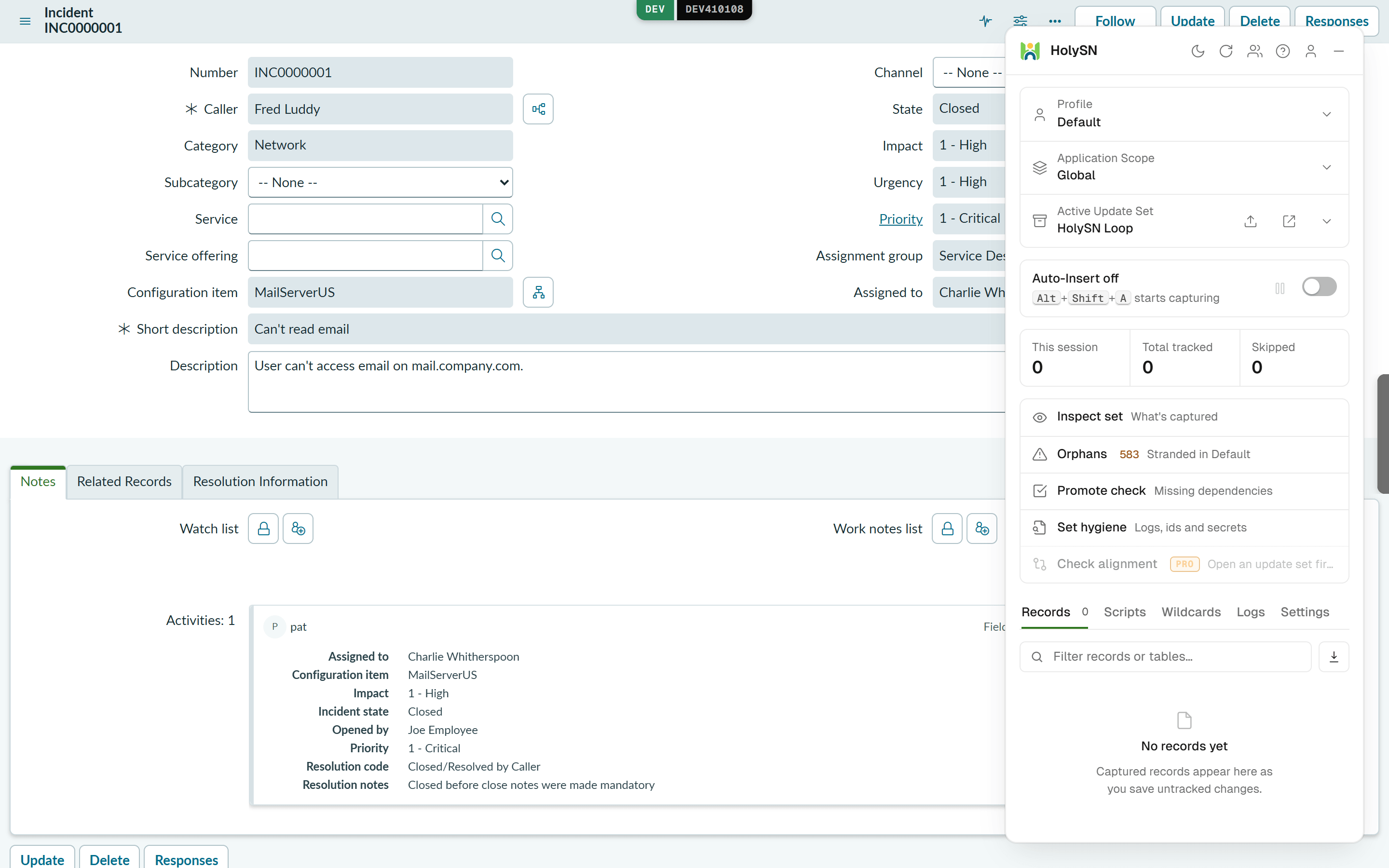
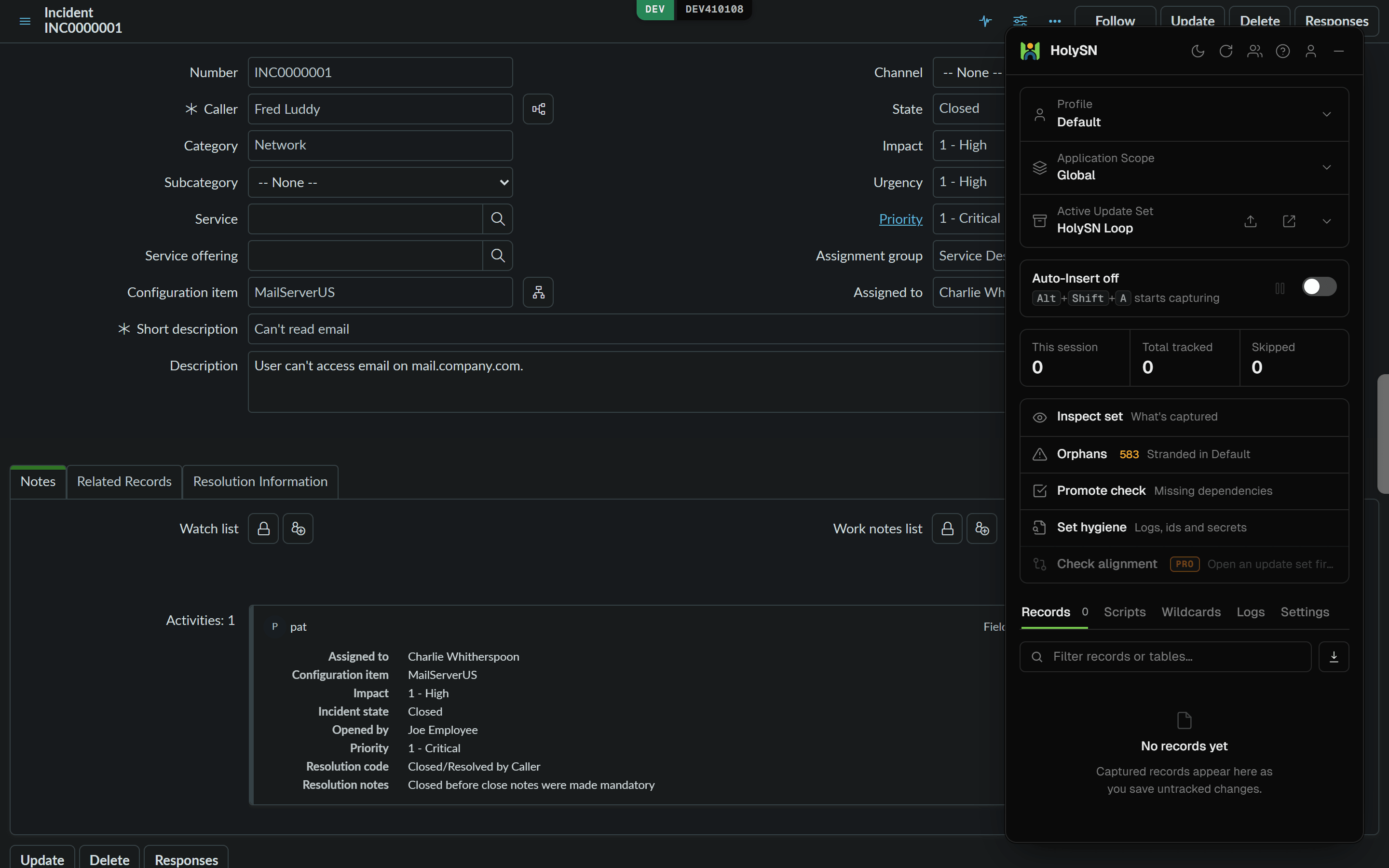
Stock, aboveWith dark mode on, below
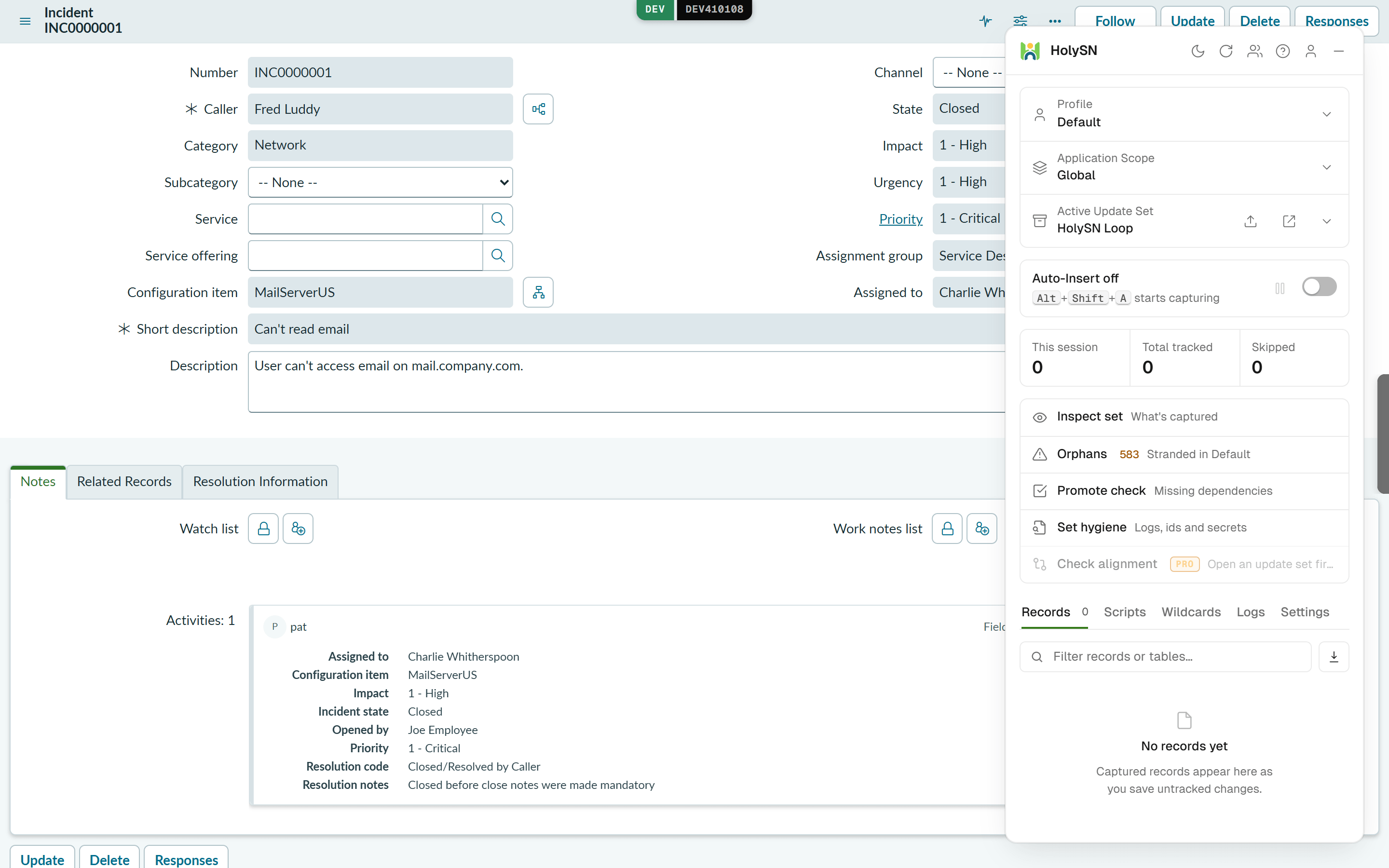
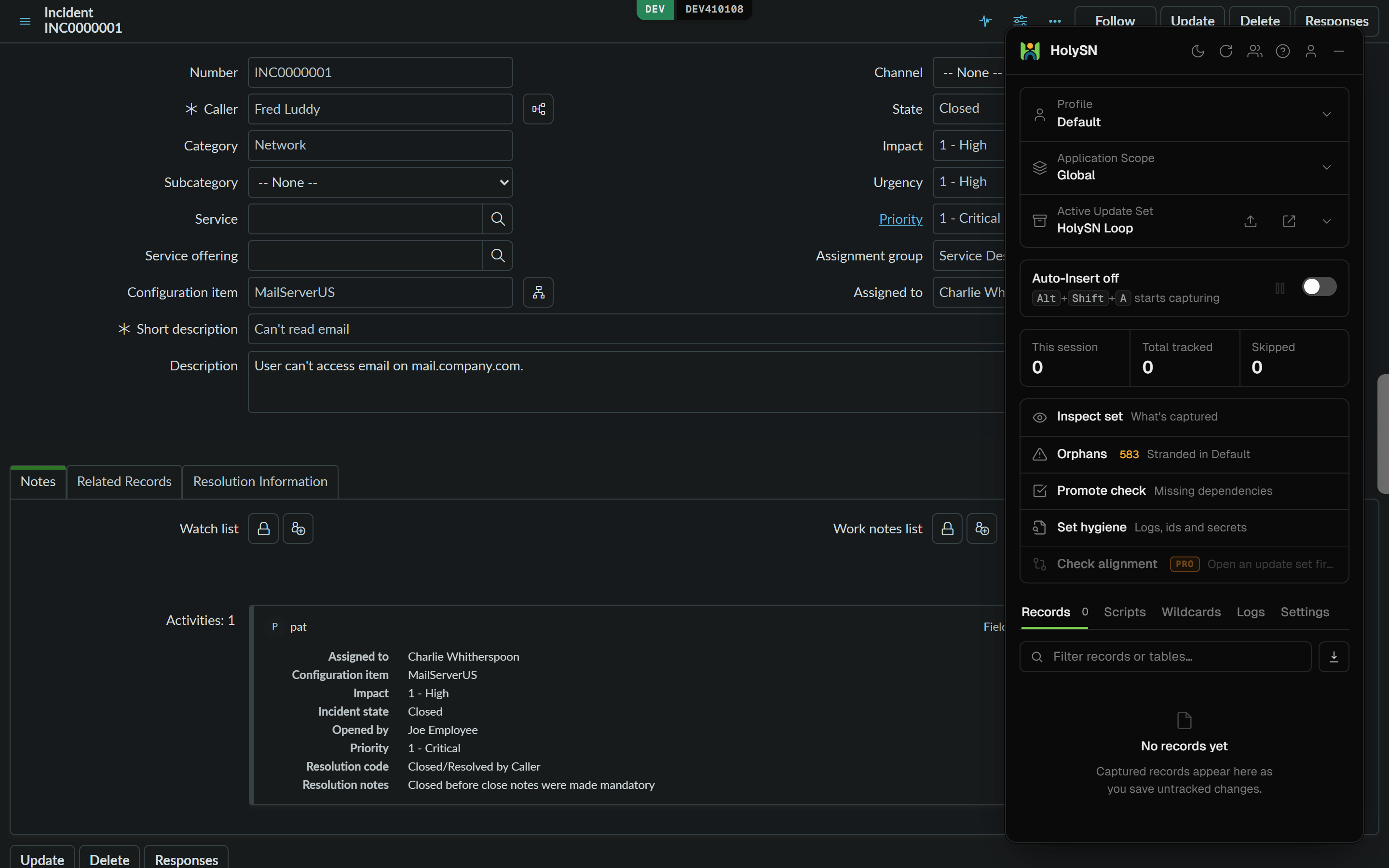
One dark theme for every page you open, Next Experience, classic forms and Service Portal. No reload.
Where it works
- Next Experience shell
- Classic lists and forms
- Service Portal
- No reload, every open frame
- Alt+Shift+D
What it is allowed to touch.
It runs with your session and your roles. Nothing more.
One allowlist, checked twice
The hosts it may reach are declared once, and checked again on every request at runtime.
Its code ships with it
The editor, the formatter and the type definitions are downloaded when the package is built, not while you work.
Nothing privileged on the page
Fetching, cookies and tabs live in the worker. The page can ask, and holds no handle of its own.
What it stores, what leaves your browser and what is still open are set out on the security page.
Start free. Pay for the tools you use.
Plus has the everyday paid tools; Pro adds the assistant and the history tools, and gets new features first. Every tool, plan by plan, is on the pricing page.
Free
€0/ mo.
The everyday tools, on every instance you open.
What you get:
- Slash palette and list switches
- Update set guard, Inspect set, Promote check
- Dark mode across the instance
- Version diff, table inspector, code search
- Credential vault, synced as ciphertext
- Up to 5 scripts and 5 wildcards, synced
Plus
€8/ mo.
The everyday paid tools, and room for five times the scripts.
All Free features, plus:
- Record and replay tests
- In-page tabs and split view
- Variable explorer and alignment check
- Check CSV, XML and JSON attachments
- CSV attachments as a sheet, with filters
- Up to 25 scripts and 25 wildcards
Pro
Recommended€14/ mo.
Everything in Plus, with the assistant, the history tools, and new features before anyone else.
All Plus features, plus:
- The assistant, on the instance you are on
- Script blame and form rewind
- Collision radar on every form
- Fix CSV, XML and JSON attachments
- Recorded tests turned into ATF tests
- Early access to new features
Questions before you install.
Which browsers and ServiceNow interfaces does it work on?
Chrome and Edge, version 128 or newer. On the instance it works in the Next Experience shell, the classic UI and Service Portal.
Which ServiceNow release does it need?
No particular one. It works through the client APIs and REST endpoints the platform documents rather than release internals, and it is developed against a developer instance on the current release.
I already use a free ServiceNow toolbar. What is different?
Part of it overlaps, and that part stays free here too. What HolySN adds on top is a guard that holds a save into the Default update set before it reaches the instance, dark mode across the whole instance, and an assistant whose four permissions all start off. Run both on the same instance and keep what earns its place.
Does it need the admin role?
No. It works with your own session, so it can do what your role already allows and nothing more. Running a background script still needs the role ServiceNow requires for that.
Does it change anything on my instance?
Only what you ask it to. Reading is the default; the actions that write are the ones you invoke, and the assistant's four permissions all start off.
Does IT have to approve it?
Where your company manages browser extensions, yes, once. After that it can be pushed to every developer through enterprise policy.
Is it on the Chrome Web Store?
Yes, and Edge installs it from there too. The install page links to the listing, and to HolySN Sync for VS Code.
What leaves my browser?
Your questions to the assistant, with names and identifiers stripped, along with any file you attach to one: an image or a PDF cannot be stripped and is sent as it is. Dictated audio goes out to be transcribed. While you are signed in, your own workspace syncs: scripts, snippets, themes, conversations, recorded tests, and vault entries as ciphertext. The records you open and your session never leave, and the security page lists all of it in one table.
How are stored credentials protected?
They are encrypted in the browser before they sync, with a passphrase that is never stored or sent. The server only ever holds the ciphertext, and scripts running on the ServiceNow page cannot reach the vault.
What happens to these prices at launch?
The palette, the update set tools and dark mode are meant to stay free. Anyone with an account can already upgrade to Plus or Pro at the prices on this page.
Start with an account.
It keeps your scripts, snippets and themes, and the extension uses it once installed.